How to Install on Apple Silicon Mac (M1–M5)
Follow these two steps so macOS allows the wallet to run permanently
1
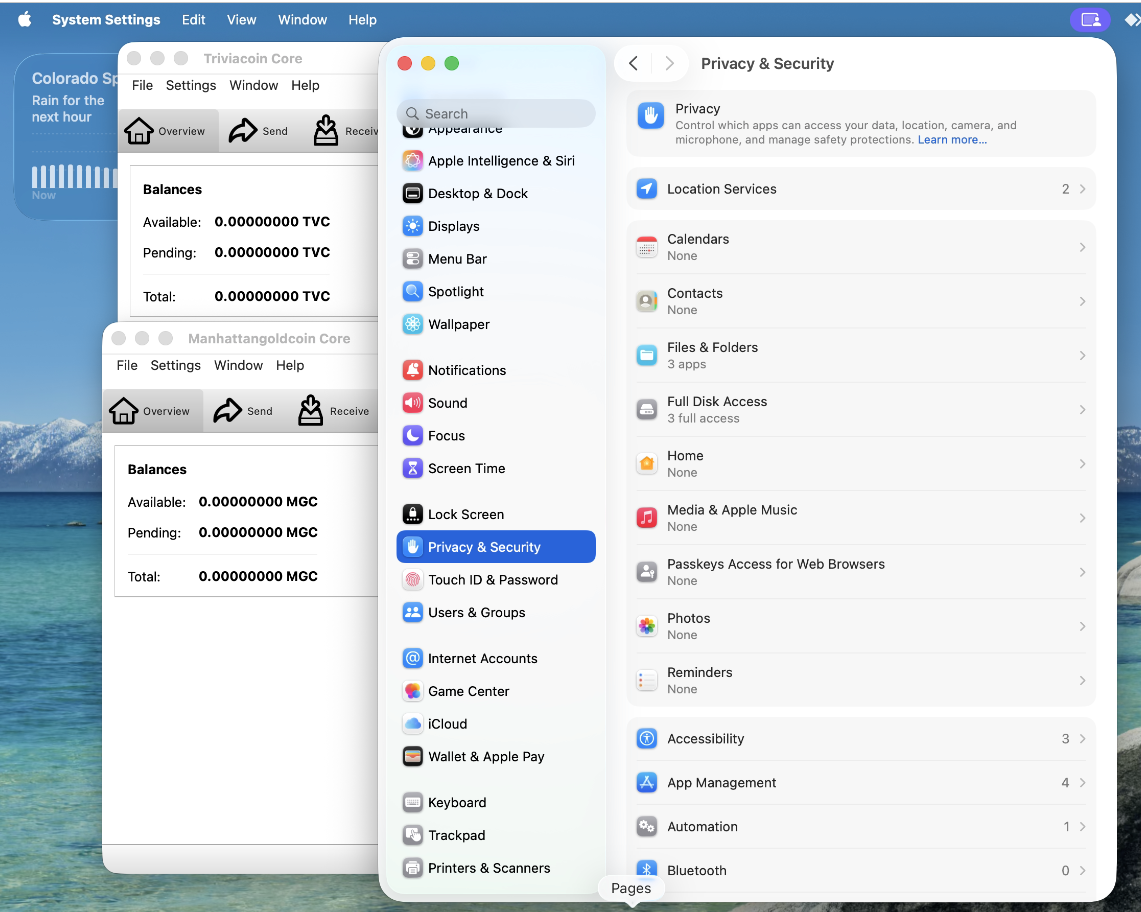
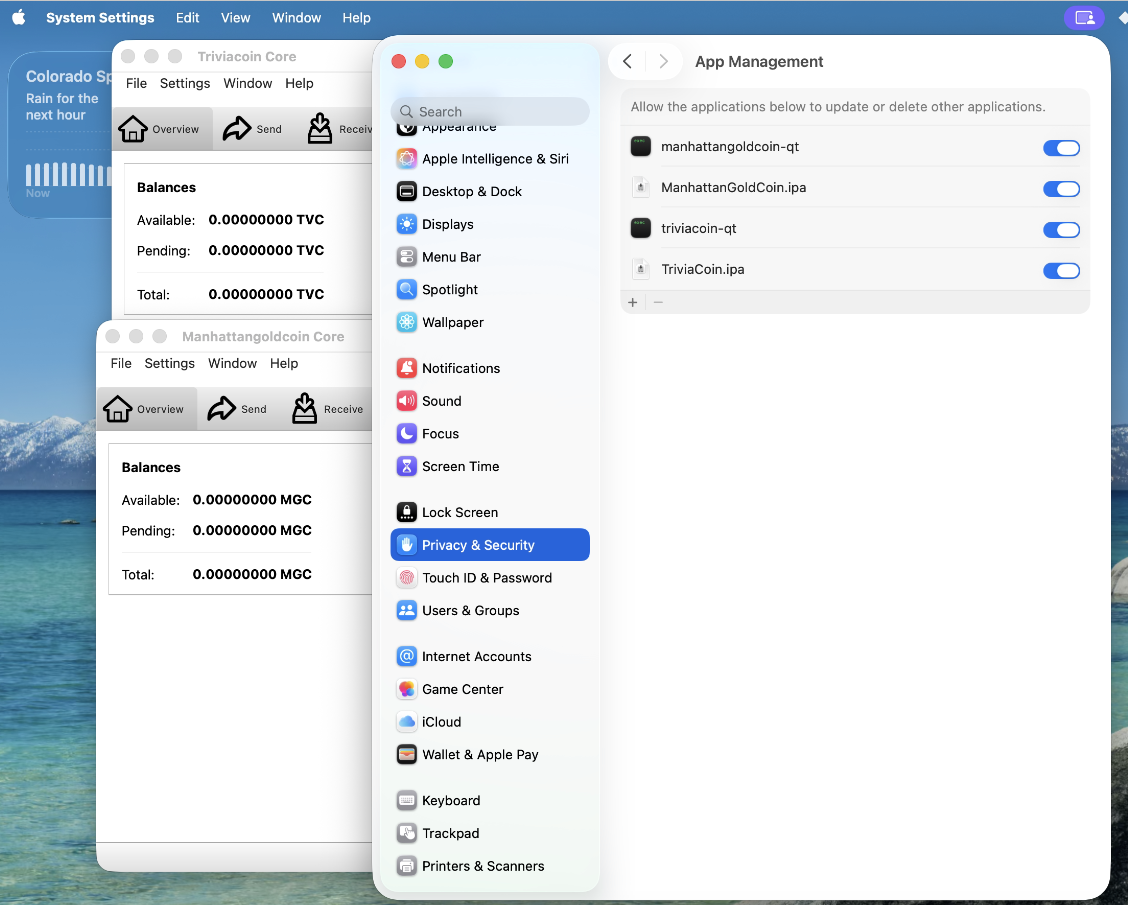
Open System Settings → Privacy & Security
Click the Apple logo in the top-left corner of your screen. Click System Settings. On the left side, scroll down and click Privacy & Security.
2
Enable App Management for the wallet
Scroll down on the right side until you see App Management and click it. Find ManhattanGoldCoin-Qt in the list and flip the switch to ON. This lets the app run without your Mac blocking it.
3
Open the DMG, drag to Applications, then right-click → Open
Go to your Downloads folder and double-click the file you downloaded. Drag the ManhattanGoldCoin-Qt icon into the Applications folder. Then go to Applications, hold Control on your keyboard, click the app once, and choose Open.